M-Pesa Infrastructure
Pesatrix M-Pesa Payments
Direct Answer
Pesatrix pays users via M-Pesa directly to any Safaricom M-Pesa registered phone number. Once a user's wallet balance reaches the minimum withdrawal amount, they submit a withdrawal request through the Pesatrix dashboard and receive an M-Pesa payment confirmation within the stated processing window. No bank account is required.
The M-Pesa Payment Flow
- 1Complete daily digital tasks on your phone — approved earnings credit your wallet.
- 2Navigate to the Wallet tab on your personal dashboard.
- 3Input any active M-Pesa number (does not have to match your registration line).
- 4Confirm the desired withdrawal amount and click "Request Withdrawal".
- 5Our automated gateway processes the payout directly.
- 6You receive the standard Safaricom M-Pesa SMS confirmation message on your phone.
M-Pesa Payout Details
| Parameter | Specification Details |
|---|---|
| Minimum Withdrawal Limit | Ksh 20 |
| Transaction Processing Speed | < 24 hours |
| Withdrawal Processing Fee | KSh 0 (Free) |
| Eligible Network Operator | Safaricom only |
| Can I use Airtel Money or T-Kash? | No. Payouts are configured strictly for Safaricom M-Pesa APIs. |
What Your M-Pesa Confirmation Looks Like
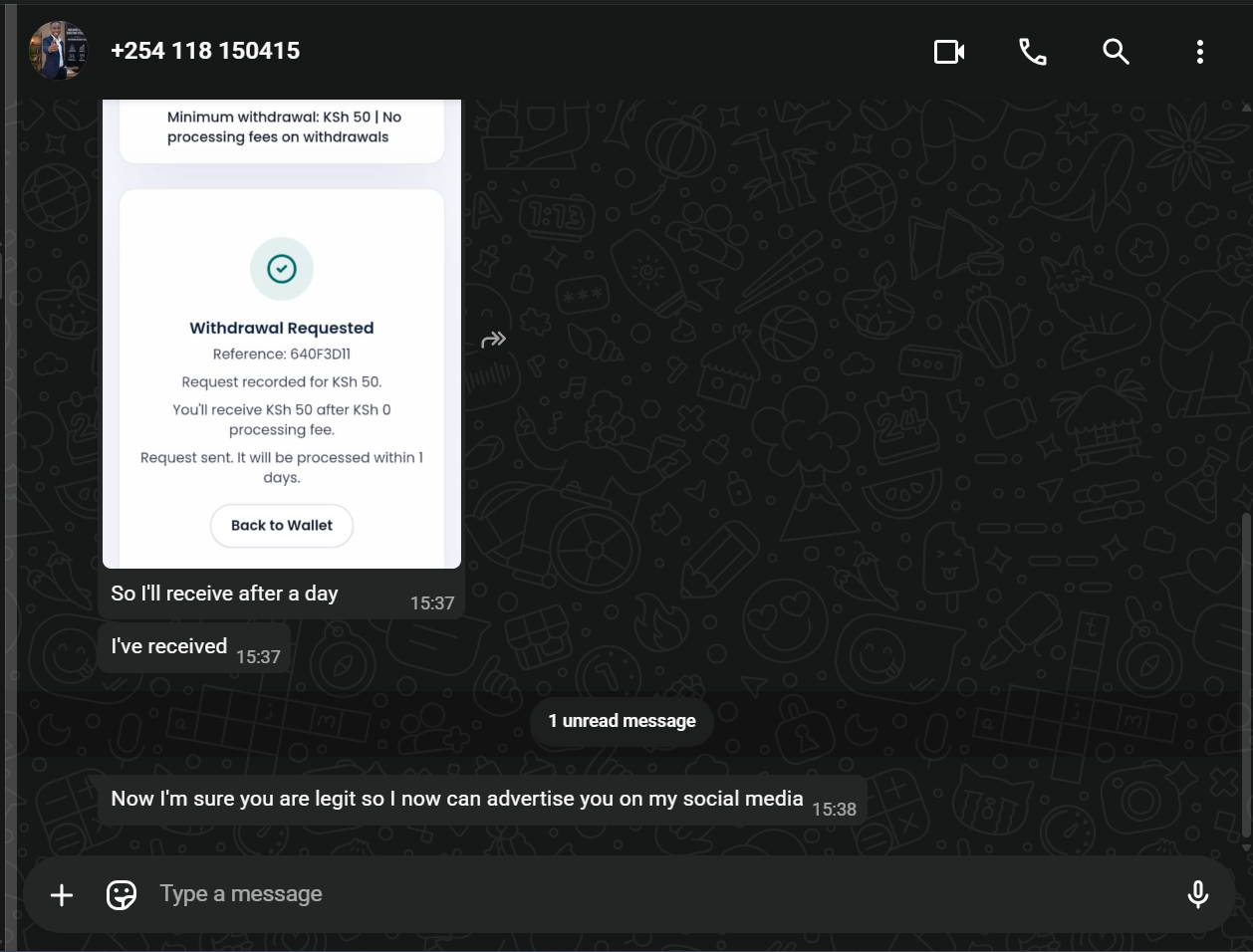
Verified Proof