How Pesatrix Pays Users
Pesatrix pays users via M-Pesa. Once your wallet balance reaches the minimum withdrawal amount, you request a withdrawal through your dashboard and receive the funds on M-Pesa within the stated processing time. There are no withdrawal fees.
Step-by-Step Payout Process
Complete & Approve Tasks
Your Pesatrix wallet balance grows as tasks are approved. Approval is typically instant for straightforward tasks and within 24 hours for tasks requiring manual review.
Check Your Balance
Go to your dashboard and view your current wallet balance. The minimum withdrawal amount is Ksh 20.
Click "Withdraw"
On the Wallet page, click the Withdraw button. Enter your Safaricom M-Pesa registered phone number (this does not have to be the same number you used to register with Pesatrix).
Confirm the Amount
Review the withdrawal amount and confirm. Once confirmed, the request is submitted for processing.
The M-Pesa Withdrawal Process
Withdrawing your money on Pesatrix is fully autonomous and takes less than a minute. Follow these steps:
- 1Check Wallet BalanceNavigate to your dashboard wallet and verify your balance is at or above Ksh 20.
- 2Submit RequestClick the "Withdraw" button, enter the amount you wish to transfer, and enter your Safaricom M-Pesa line.
- 3Receive Instant SMSThe withdrawal pipeline triggers Safaricom payout APIs. Your funds hit your phone as a standard M-Pesa SMS.
Verified Payment Receipts
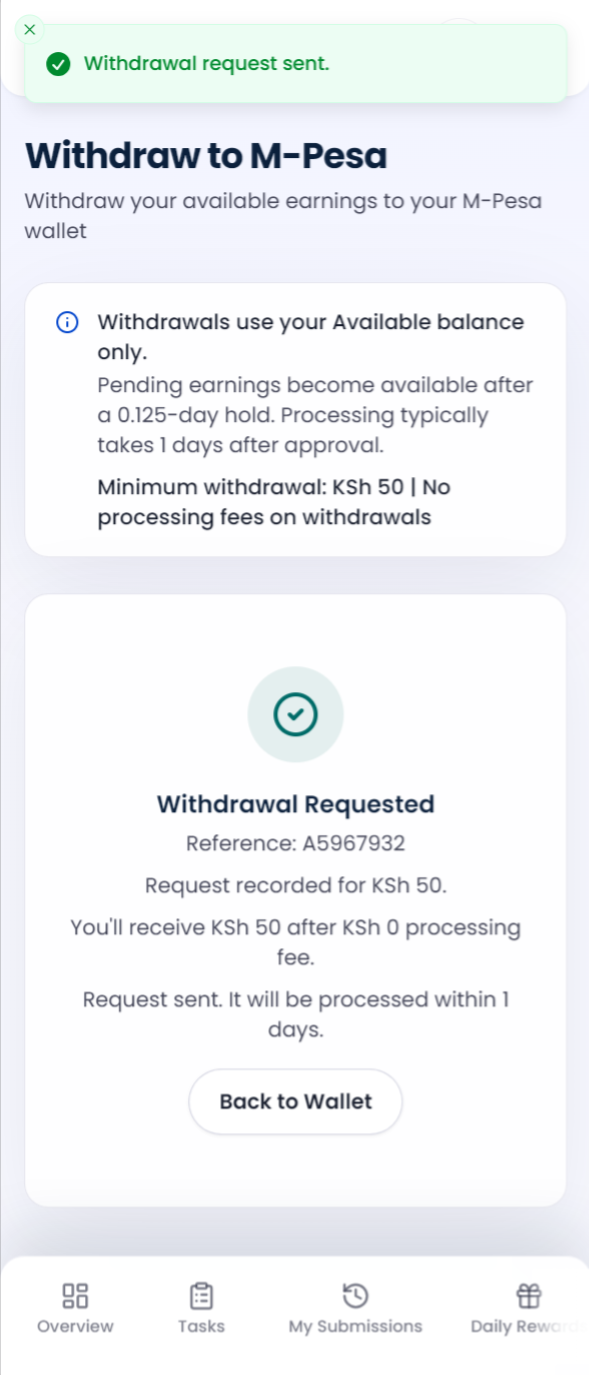
Withdrawal Receipt